Read a place's forecast page
On this page
A place's Today page is where its forecast starts. It shows the weather now, what the forecasters say about the next day or two, the next hours and the next ten days, a radar map and the local weather news, with air quality, the sun and moon and the day's normals beside them.
#The top of the page
Search for a place or open one from a list. See Find the weather for a place.

The top of a place's page. The same header and tabs appear on all of the place's pages.
- 1The place
- 2County, local time, coordinates and elevation
- 3Follow this place
- 4Make it your home place
- 5Switch between °F and °C
- 6Today, hourly, 10-day, radar, monthly and alerts
- The place is the page's heading. For a ZIP code it includes the code, such as Beverly Hills, CA 90210. A path above it, such as Weather › United States › California, leads back up to the state and the country.
- The line under it gives the county, the local time (it keeps counting), the place's coordinates and its elevation.
- Follow adds the place to your list. See Follow places.
- Set as home makes Weather open on this place. See Set a home place.
- °F and °C switch units. See Switch between °F and °C.
- The tabs are Today, Hourly, 10-Day, Radar, Monthly and Alerts. A number on the Alerts tab means alerts are in effect there, and bars directly under the tabs name them. See Weather alerts.
#Current conditions
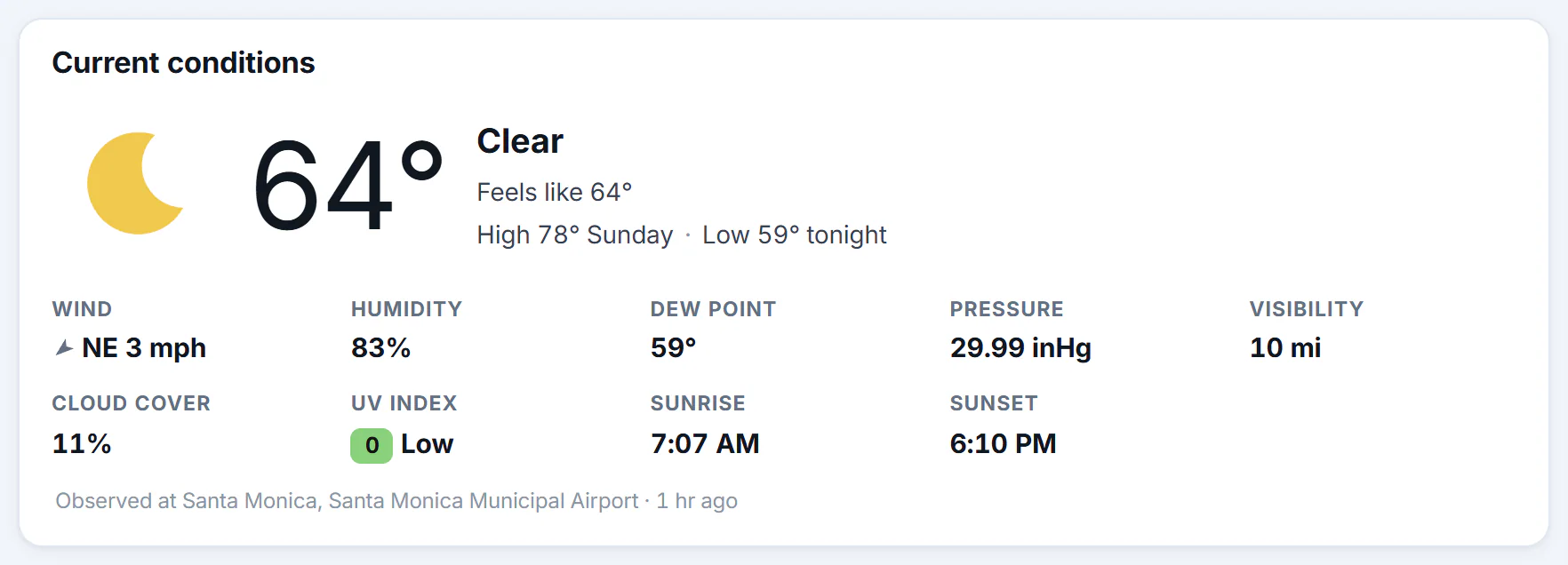
Current conditions. The last line says where the reading comes from and how old it is.
- 1The temperature now
- 2Conditions, feels like, and the high and low
- 3Wind, humidity, pressure and more
- 4Which station reported, and how long ago
- The big number is the temperature now, with an icon and the conditions in words.
- Feels like is what the temperature feels like to a person. When it is hot and humid it takes humidity into account, and when it is cold and windy it takes the wind into account. Otherwise it equals the temperature.
- High and Low give the high still to come and the low for the coming night. A line such as "High 78° Sunday" says which day.
- The details are wind, humidity, dew point, pressure, visibility, cloud cover, the UV index, sunrise and sunset. See Air quality and the UV index.
- The note under them says, for example, "Observed at Santa Monica, Santa Monica Municipal Airport · 42 min ago". The reading is from the nearest station that reports, which is often an airport, so it can differ a little from the weather where you stand. If no station has reported in the last two hours, the note says the figures are the forecast for this hour.
#The forecast in words and the next hours
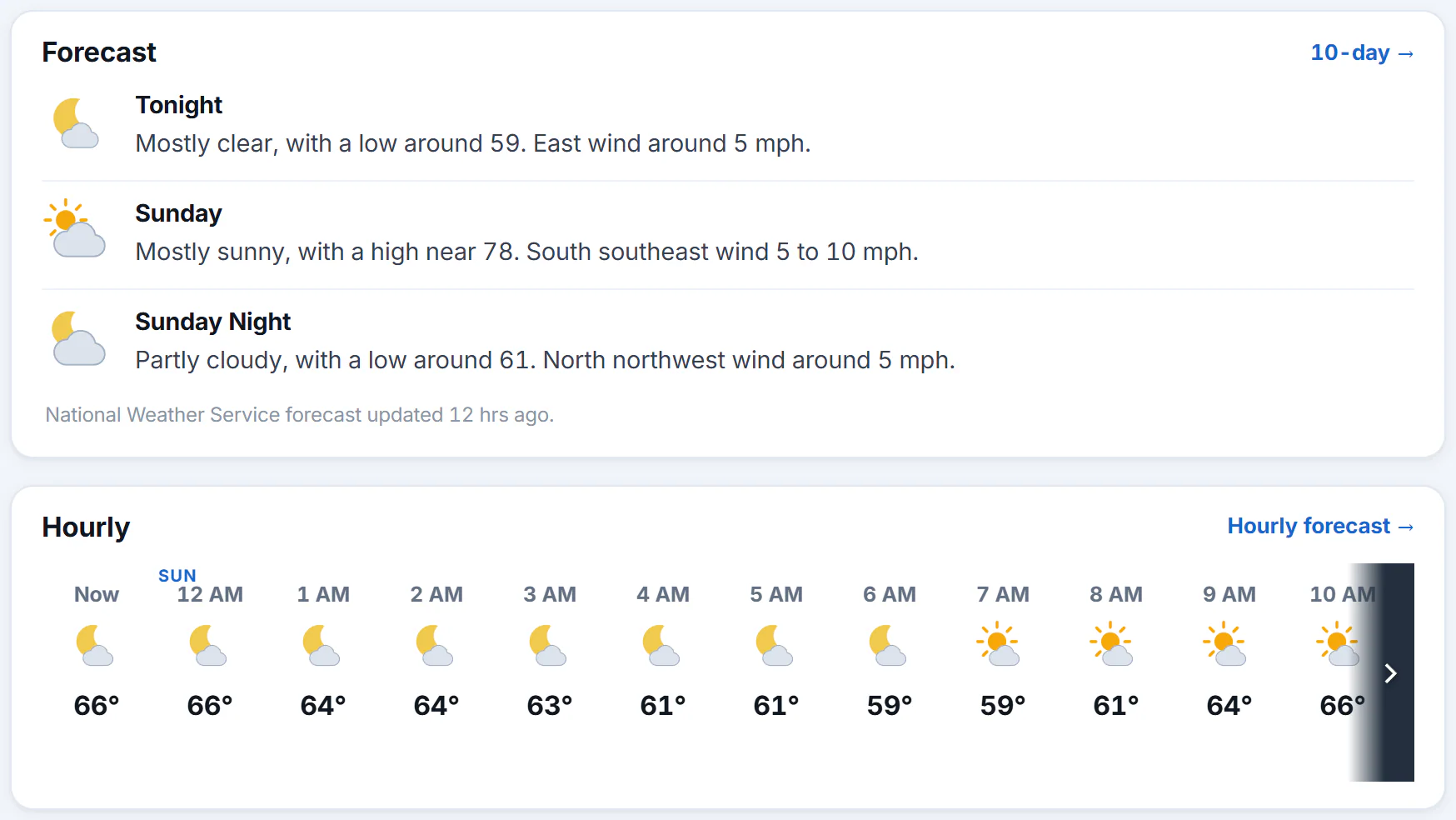
The Forecast box, then the Hourly strip. Slide the strip sideways, or use its arrow, to see later hours.
- 1The forecast in words, period by period
- 2Who issued it and when it was updated
- 3Slide sideways for the next hours
- 4The full hourly forecast
The Forecast box writes out the next three periods, such as Tonight, Sunday and Sunday Night. For U.S. places these are the words of the National Weather Service forecasters. For places elsewhere they are written from MET Norway's forecast. A note under the box says whose forecast it is and how long ago it was updated.
The Hourly strip shows the next 24 hours in a row: the hour, an icon, the temperature and, where rain or snow is likely, its chance. Select Hourly forecast for the full 48 hours. See Hourly and 10-day forecasts.
#The next ten days, the radar and the news
- The 10-day forecast lists each day with its conditions, chance of precipitation and temperature range. Each row opens that day in detail.
- Radar is a small map around the place with the radar and warnings on. The arrows button, or Full map, opens the full map. See Use the radar map.
- Weather news lists headlines about the place first and national headlines after them, each marked National. See Weather news.
#The boxes on the right
- Air quality, for U.S. places that have a reporting area nearby. See Air quality and the UV index.
- Sun & moon: sunrise, sunset and the length of the day, with how much longer or shorter tomorrow is, then the moon's phase, how much of it is lit, moonrise and moonset, and the dates of the next full and new moons.
- Almanac, for U.S. places with a climate station nearby: today's normal high and low, the record high and low for this date with the year each was set, the most rain recorded on this date, yesterday's temperatures and the month's rain so far against normal. The Monthly link opens the month's calendar. See The monthly calendar.
- Nearby lists towns and cities within about 60 km, with their distance, each linking to its own forecast.
- Forecasters' discussion, for U.S. places, unfolds the National Weather Service forecasters' own notes on the forecast, with the office that wrote them and how long ago.
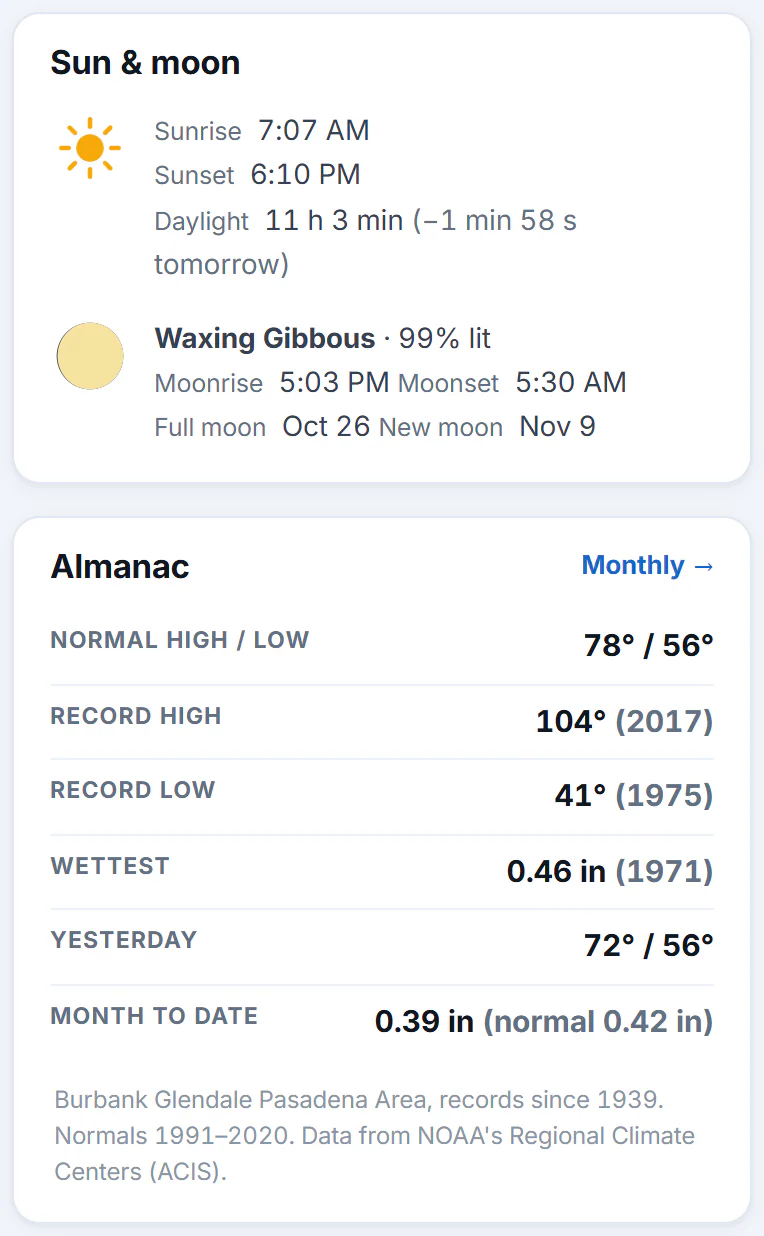
Sun and moon, and the Almanac. The almanac's note names the climate station behind the figures.
- 1Sunrise, sunset and daylight
- 2The moon today
- 3Normals, records and last night
- 4Where the climate figures come from
#Places outside the United States
Forecasts for places elsewhere are made by MET Norway, and the reading comes from a nearby airport. These places have a Today, an Hourly, a 10-Day and a Radar page, but no Monthly or Alerts tabs, no air quality box and no forecasters' discussion.
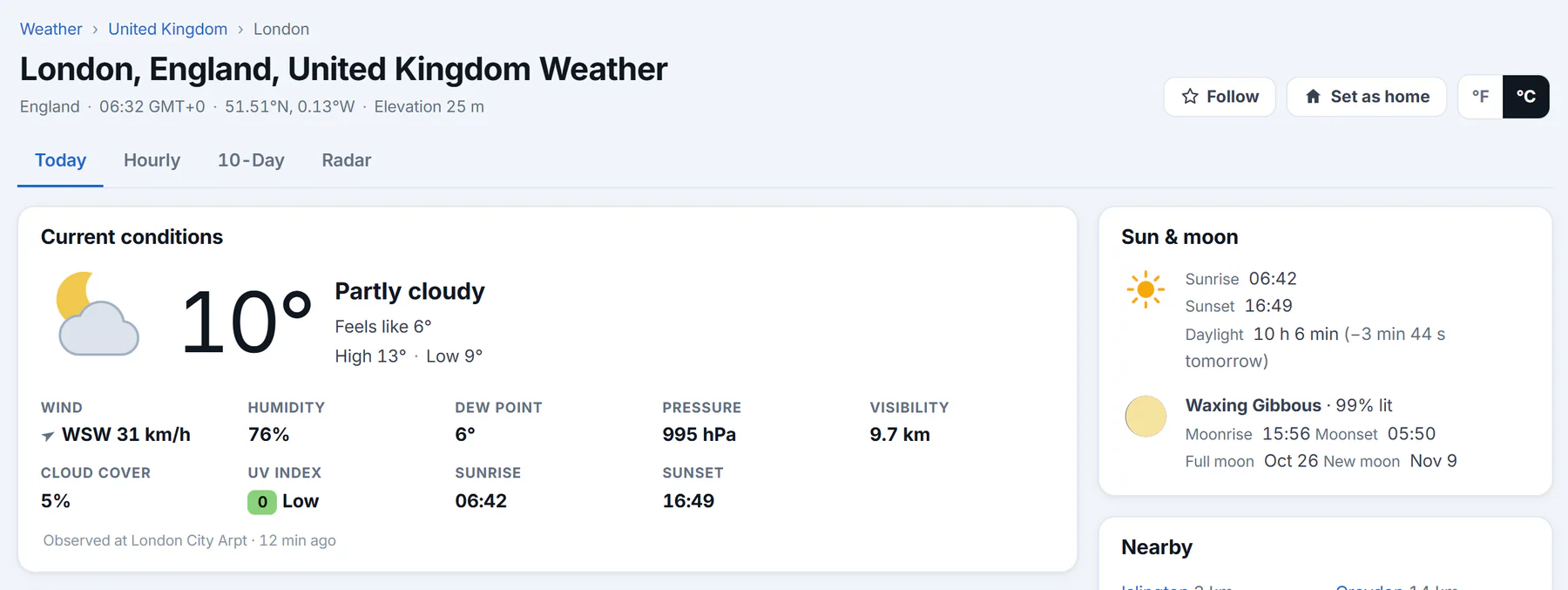
A place outside the U.S., with the degrees switch on C. There is no Monthly or Alerts tab.
- 1Celsius, kilometers and millimeters
- 2No Monthly or Alerts tab outside the U.S.
- 3The temperature now
- 4Times on a 24-hour clock
#Common questions
Why does the reading come from a different place than the one I searched?
It comes from the nearest station that reports. The note under the box names it. Stations are often at airports.
Why does "Feels like" differ from the temperature?
It accounts for humidity when it is hot and wind when it is cold. When neither applies, it matches the temperature.
Why does the hourly strip show no chance of rain for some hours?
A chance is shown only when it is 10% or more. A blank means it is lower.
How often is the page updated?
Each box says how old it is. See Where the weather comes from and how fresh it is.
Is this page a warning service?
No. For warnings that affect your safety, follow your local National Weather Service office and emergency officials. See Weather alerts.